Android & iOS available
App pop1 — Sports Betting and Casino Always at Your Fingertips
Download the pop1 app and get full access to betting, slots, live casino, Pix and much more — wherever you are, right from your phone.
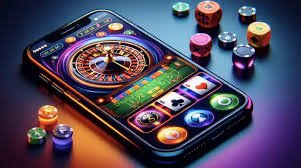
Download the pop1 app and get full access to betting, slots, live casino, Pix and much more — wherever you are, right from your phone.
Choose your Operating System
The pop1 app was built to work great on both Android and iPhone. See how to install it on each device.
On Android, the pop1 app is installed as an APK directly through the browser. No Google Play needed — the process takes less than two minutes and works on virtually any smartphone running Android 7.0 or higher.
Download Android APKMinimum requirement: Android 7.0 | Storage: ~35 MB
On iPhone, simply visit the pop1 website in Safari, tap "Share", and select "Add to Home Screen". In seconds you have the app icon pinned to your phone, with access identical to a native app.
Add to iPhoneMinimum requirement: iOS 13.0 | No download needed

What you'll find in the pop1 app
Everything available in the desktop version — and a bit more — was designed to work great on a mobile screen.
Bet on football, basketball, tennis, MMA and dozens of other sports with real-time updated odds, right from the app.
Hundreds of slots, progressive jackpots, roulette, blackjack and crash games available with the same graphic quality as desktop.
Tables with real dealers streamed in HD directly in the app. Live roulette, baccarat and blackjack in the palm of your hand.
Make deposits in seconds using Pix integrated into the app. Scan the QR Code directly on your phone and the balance appears instantly.
Receive alerts about promotions, betting results, free spins, and exclusive offers directly on your phone screen.
Access your account with biometrics or Face ID. Speed and security combined so you can log in without typing your password every time.
The app is optimized for 4G networks and even slower connections. No lag, no waiting — just smooth fun.
App users have access to offers that don't appear in the desktop version. Welcome bonuses, free spins, and special cashback.
Live chat integrated into the app to get help at any time, in English. No need to leave the app.
Why play through the pop1 app?
Most people who start using the pop1 app never go back to desktop. That's not just a figure of speech — it's what actually happens when you have a platform that was truly built for mobile, not just hastily adapted to a smaller screen.
In Brazil, the smartphone is the primary gateway to the internet for most people. Over 85% of access to online entertainment platforms in the country happens via mobile. pop1 took this seriously from the very start of app development: every button is sized correctly to be tapped with a thumb, animations were calibrated to run smoothly on mid-range devices, and data usage was reduced to perform well even on less stable 4G connections.
One of the app's biggest advantages is Pix integration. On mobile, the deposit process is even faster than on a computer. You open the pop1 app, select the deposit option, choose the amount, copy the Pix key or scan the QR Code directly through your bank's app — which is already there on the same phone — confirm the transaction, and you're done. The balance appears in your pop1 account within seconds, with no need to switch devices or open and close browser tabs.
For sports betting fans, the pop1 app has an important edge: you can place live bets with much greater speed. While watching the game — whether on TV or another device — you track odds updating in real time, spot the right moment, and confirm your bet in two taps. Nothing is more practical than that for anyone who enjoys betting in the heat of the match.
In the Casino, the pop1 mobile experience also delivers a pleasant surprise. Slots load with high-quality graphics, the bet and spin buttons are well positioned at the bottom of the screen — right where the thumb rests naturally — and the category navigation bar stays always visible, making it easy to switch between slots, jackpots, and table games without scrolling through the entire page.
Live Casino on mobile is probably the feature that impresses first-time users the most. HD video streams of real dealers are optimized for low latency even on a 4G connection. You see the table, the dealer, the cards being turned — all in real time, as if you were in a physical casino, but lying on your couch at home or waiting for the subway.
The pop1 app uses end-to-end encryption to protect all your transactions and personal data. Play with peace of mind knowing your account is secure.
Push notifications are another strong point of the app. At pop1, they are relevant and non-intrusive — you won't receive spam all the time. Notifications are triggered at strategic moments: when a short-window promotion launches, when a slots tournament begins, when the result of a sports bet you placed becomes available, or when a progressive jackpot reaches a record value. You can configure which types of notifications you want to receive directly in the app settings.
The biometric login system also makes a real difference in daily use. Once configured, you open the app, place your finger on the sensor — or use Face ID, depending on your device — and you're inside your account in under a second. For anyone who opens the app several times a day to check odds or spin slots during free time, not having to type a password every time is a genuine relief.
Pop1 app users also have access to exclusive promotions that don't appear in the desktop version. These include bonus free spins on new slot launches, additional cashback during specific weeks, and boosted odds on selected Brazilian football matches. It's worth enabling notifications just for that.
On Android, the APK installation process is straightforward but requires one extra step that may confuse some users the first time: you need to allow installation from unknown sources in your phone's settings. This is completely normal for apps outside Google Play and poses no risk — especially when the APK is downloaded directly from the official pop1 website. The app itself walks you through this process with on-screen instructions.
On iPhone, installation via Safari is even more straightforward. No special configuration needed — just add the icon to your home screen and access is saved permanently, working like any other native app. iOS handles this type of shortcut natively, with no functional limitations compared to an app downloaded from the App Store.
Overall, the pop1 app delivers on its promise: a complete betting and casino experience on mobile, free from the classic issues that tend to show up on platforms that simply "shrink" the website to fit a smaller screen. Here the approach was different from the start — mobile first — and the result shows in every detail of the interface.
Compatibility
Android
Version 7.0 or higher • ~35 MB
IPhone / iOS
IOS 13.0 or higher • No download required
Recommended connection
4G, 5G or stable Wi-Fi
In-App Payments
Minimum deposit of R$ 10 via Pix. Withdrawals within 24h directly to your Pix key.

How Install the pop1 App
The process is quick and straightforward. See the step-by-step guide for Android and iPhone.
Android
Open the Chrome browser on your Android and go to the pop1 address. Make sure you're on a Wi-Fi network or have a stable 4G connection.
Tap the "Download Android APK" button on the app page. The download starts automatically and appears in the notification bar.
When the download is complete, tap the file. If prompted, go to Settings > Security and enable "Unknown sources" for Chrome. This is safe and only required once.
Tap "Install" and wait a few seconds. The pop1 icon appears on your home screen. Done — just log in to your account and start playing.
iPhone
On iPhone, you must use Safari — other browsers do not support the add-to-home-screen feature in the same way.
Enter the pop1 address in the Safari address bar and wait for the page to fully load.
Tap the share icon (square with an arrow pointing up) in the bottom bar of Safari. Scroll through the options and select "Add to Home Screen".
Give the shortcut a name (or keep "pop1") and tap "Add". The icon appears on your home screen and works just like a native app.
App vs. Desktop Browser
See how the app experience compares to accessing through a computer.
| Feature | Mobile App | Desktop |
|---|---|---|
| Live Betting | Available | Available |
| Live Casino | Available | Available |
| Deposit via Pix | Instant | Instant |
| Push notifications | Yes | Limited |
| Biometric login | Face ID / Fingerprint | Not available |
| Exclusive promotions | Yes | Standard |
| Optimized interface | Mobile first | Large screen |
| Offline use (partial) | Cache available | No |
Questions about the pop1 App
Answers to the most common questions from users installing the app for the first time.
Download now and start playing on pop1
Create your account, make your first deposit via Pix and enjoy sports betting, slots and live casino right from your phone. Fast, secure and built for Brazil.
+18 | Play responsibly | Subject to Terms and Conditions